Player ESP
Gear, health and direction.
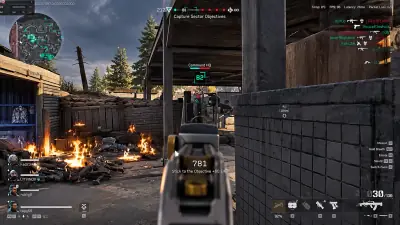
ESP adds player information to your screen, including helmet, armour and chest bag levels.
- Skeleton and head circle
- Box and snaplines
- Name and distance
- Health and view direction
- Team number and weapon
Player and loot ESP, adjustable aimbot, chams and camera tools. Requires Cloud DMA plus separate GREENWARD, Static Server and AWS purchases.

2
Aim keys
ESP
Player gear
Price
Loot filter
Required
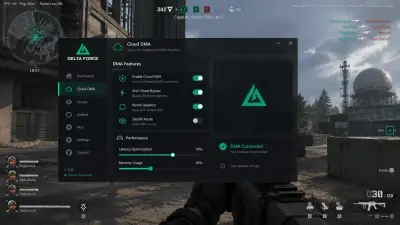
Cloud DMA
Features
Use gear reads in Operations and distance controls in Havoc Warfare. Choose what appears on screen and how assisted aim responds.
Gear, health and direction.
ESP adds player information to your screen, including helmet, armour and chest bag levels.
Keep valuable items in view.
Read item names, rarity and price. The Minimum Price Filter removes low-value clutter from Operations loot runs.
Choose how aim follows.
Set FOV, Smooth, Speed and Stickiness. Select the closest bone, head, neck or chest.
Separate models from terrain.
Recolour players and AI independently. Choose a static colour or cycling RGB.
Frame the action.
Change camera FOV or toggle Third Person View with a hotkey. An optional crosshair adds a separate reference point.
Move arms and weapon.
Arms Scale Offset and Weapon Scale Offset have separate X, Y and Z controls.
Show only selected categories.
Hide players, AI, items, dead containers or computers separately when the screen becomes busy.
See the selection.
Draw FOV shows the aim radius. Draw Target Line marks the current target while you adjust the response.
Keep a useful setup.
Save settings for reuse. Keep gear-heavy Operations overlays separate from a clearer long-range view.
Store
Compare the cheat menu and the utilities on this grid. Open a product page for the feature list and checkout.
Player and loot information, assisted aiming and view controls for two different modes.
Adjustable aimbot, player and loot ESP, chams, camera tools and saved configurations.
Hardware identifiers and cleanup
Review disk, MAC and GPU identifier functions with the included trace cleaner. Account penalties remain separate.
Required single-PC infrastructure
Run the Hyper-V environment on the gaming PC. GREENWARD, Static Server and AWS are required separate purchases.
Local cosmetic previews
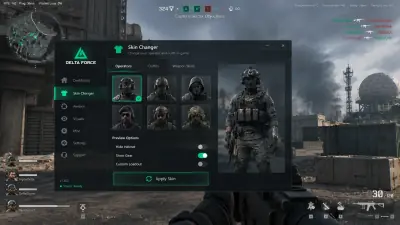
Browse weapon finishes, outfits and knife styles in supported titles. Delta Force coverage must be confirmed separately.
Why us
Compare the listed capabilities. Other providers vary; each row describes this product rather than claiming every alternative lacks it.
Adjustable aim response
FOV, Smooth, Speed and Stickiness control target acquisition and movement.
Player gear information
Helmet, armour and chest bag names and levels sit alongside health and distance.
Loot value filtering
The Minimum Price Filter keeps low-value loose items off the overlay.
Independent model colours
Players, AI, hands, weapons and the self model have separate chams controls.
Readable combat overlays
Max Distance and per-category combat filters limit the information on screen.
Saved configurations
Store settings and reload them instead of rebuilding the menu each session.
2
Activation keys
Separate native controller binds for assisted aiming.
3
Aim points
Head, neck and chest, plus Closest bone selection.
5
Entity filters
Players, AI, items, dead containers and computers.
Setup guide
This is a single-PC Cloud DMA stack. The loader belongs to that environment and is not a standalone download.
Check the Windows and firmware requirements
Prepare the separate stack purchases
Configure and save your view
How it works
Check the PC, understand the separate purchases, then follow the guided setup.
4 easy steps
Check this PC
Verify Windows edition, security settings and virtualization support before checkout.
Review the full stack
The main product and Cloud DMA have separate checkouts. GREENWARD, Static Server and AWS are also required.
Follow the current guide
Use the Cloud DMA installation instructions. Ask support about build or storefront coverage before proceeding.
Save your settings
Set aim response, marker distance and loot value filters. Store the result in the config system.
Blog
Detailed explanations of the confirmed menu, the single-PC stack and the separate utilities.
Organise platform checks, guided installation and support evidence without inventing loader steps.
A complete pre-purchase checklist covering the confirmed menu, separate stack purchases and compatibility questions.
Model recolouring is confirmed in the main menu. Cosmetic-library support for Delta Force needs separate confirmation.
FAQ
Answers related to this page. The full FAQ covers the other topics.