
Cloud DMA
Required single-PC infrastructure
In short
A Hyper-V environment on one PC
The guided installer sets up the virtual environment and activates the service over an encrypted connection.
Overview
Required infrastructure on the gaming PC
Check Windows, Hyper-V and the separate purchases before ordering.
Cloud DMA provides the Hyper-V environment used by the Delta Force product stack. It runs on the same PC as the game. You do not use an external DMA device or second physical computer for this setup.
The infrastructure license is separate from the main product. GREENWARD, Static Server and AWS are also required separate purchases. Static Server and AWS are distinct products; buying one does not satisfy the other requirement.
Confirm the platform first
The stack needs CPU virtualization enabled in firmware: Intel VT-x or AMD-V. The Hyper-V role must be available in your Windows edition and enabled during guided setup. The listed Windows versions are 10 and 11; that statement does not make every edition or build suitable.
Keep the security requirements visible
HVCI, Core Isolation, TPM and Secure Boot must all be enabled. These requirements sit alongside Hyper-V rather than replacing it. Ask support if Windows reports a missing capability before making an infrastructure purchase.
Plan the separate licenses
Cloud DMA, GREENWARD, Static Server and AWS each require a separate purchase. The main Delta Force software has its own access terms. Check every item before paying so an apparently complete main-product order does not leave the required environment incomplete.
Guided installation and activation
The installer provisions the virtual environment and uses an encrypted service connection for activation. Follow the current installation guide on the gaming PC. Keep a stable internet connection and provide the exact error and failed step to support if activation stops.
What this layer does not promise
Cloud DMA supplies infrastructure. It does not add undocumented menu features, establish storefront support or guarantee that a modification cannot be detected. The main loader belongs to this stack; a standalone download is not a substitute.
Included
Cloud DMA features
The lifetime license covers the Cloud DMA infrastructure layer.
- Single-PC setup
- Guided Hyper-V installation
- Encrypted activation
- Lifetime access
Setup
From purchase to activation
Follow the Windows and Hyper-V checks before you run the installer.
Setup
- Layer A
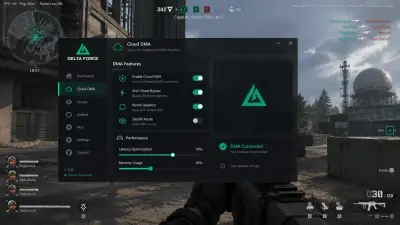
Cloud DMA illustration
Supplied concept artwork. Displayed controls and safety claims are not verified product specifications.
More products
Pairs well with
Explore the other three products and their setup requirements.
- Delta Force Cheats Adjustable aimbot, player and loot ESP, chams, camera tools and saved configurations. View details: Delta Force Cheats
- HWID Spoofer Review disk, MAC and GPU identifier functions with the included trace cleaner. Account penalties remain separate. View details: HWID Spoofer
- Skin Changer Browse weapon finishes, outfits and knife styles in supported titles. Delta Force coverage must be confirmed separately. View details: Skin Changer
FAQ
Questions about this page
Answers related to this page. The full FAQ covers the other topics.
Blog
Related guides
Detailed explanations of the confirmed menu, the single-PC stack and the separate utilities.
Map the main product, Cloud DMA, GREENWARD, Static Server and AWS before opening checkout.
Organise platform checks, guided installation and support evidence without inventing loader steps.
Check the four required security settings, CPU virtualization and Windows edition before purchasing the stack.