
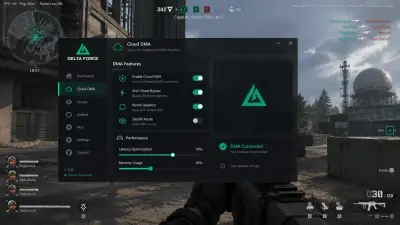
Delta Force Software Requirements: Windows Security and Hyper-V
Check the four required security settings, CPU virtualization and Windows edition before purchasing the stack.
Windows version is only the first check
The Delta Force product lists Windows 10 and 11 on Intel or AMD, but it also requires a single-PC Cloud DMA environment. That makes the Windows edition, firmware capabilities and current supported build important. A PC that runs the game is not automatically ready for this software stack.
Start with an inventory: Windows version and edition, CPU model, motherboard or laptop model, game storefront and current game build. Send that information to support if compatibility is unclear. Do this before buying separate infrastructure licenses rather than treating installation as a way to discover unsupported hardware.
Keep all four security requirements together
The supplied requirements name HVCI, Core Isolation, TPM and Secure Boot, all enabled. HVCI is also called Memory Integrity within Windows Core Isolation. The four names should remain on the checklist even though HVCI and Core Isolation are related. TPM and Secure Boot also require the appropriate firmware configuration.
Check the reported state rather than assuming an available switch is enabled. If a required security feature cannot be enabled, stop and resolve that capability question with the device manufacturer or support. Disabling protections is contrary to this product’s stated setup.
Edition and virtualization matter
Cloud DMA runs the environment through Hyper-V on the same PC. Intel VT-x or AMD-V must be enabled in firmware, and the Hyper-V role must be enabled during guided setup. A second tower or external DMA box is not part of the configuration.
Microsoft documents that the Hyper-V role is unavailable on Windows Home. See the official Hyper-V installation guidance. Confirm the exact edition and supported build before deciding whether your existing Windows installation qualifies. An Intel or AMD label alone does not confirm every required capability.
Separate compatibility from a setup error
A missing menu and an unsupported platform are not the same problem. Establish whether the failure occurs before installation, while configuring Hyper-V, during activation or after the game opens. Keep the exact error and the last successful step.
Avoid installing unrelated tools or changing multiple firmware options while diagnosing one issue. The published stack uses a guided setup, and its loader is part of that environment. The single-PC setup guide explains how to organise the handoff without inventing loader filenames or installation commands.
Purchase only after the checklist is clear
The main software, Cloud DMA, GREENWARD, Static Server and AWS are separate purchases. Static Server and AWS are distinct requirements. Passing Windows checks does not mean these licenses are included, and buying a lifetime option does not waive a hardware requirement.
Review the dependency guide and the main product. Windows 10 is listed in the supplied requirements, but exact build coverage remains a confirmation item. Storefront coverage is also unconfirmed. A complete checklist ends with current compatibility confirmation, not a general claim that every Windows 10 or 11 PC will work.